The hardest screen in any habit app is the first one. No habits, no history, a big plus button, and a little voice asking what you’re supposed to do now.
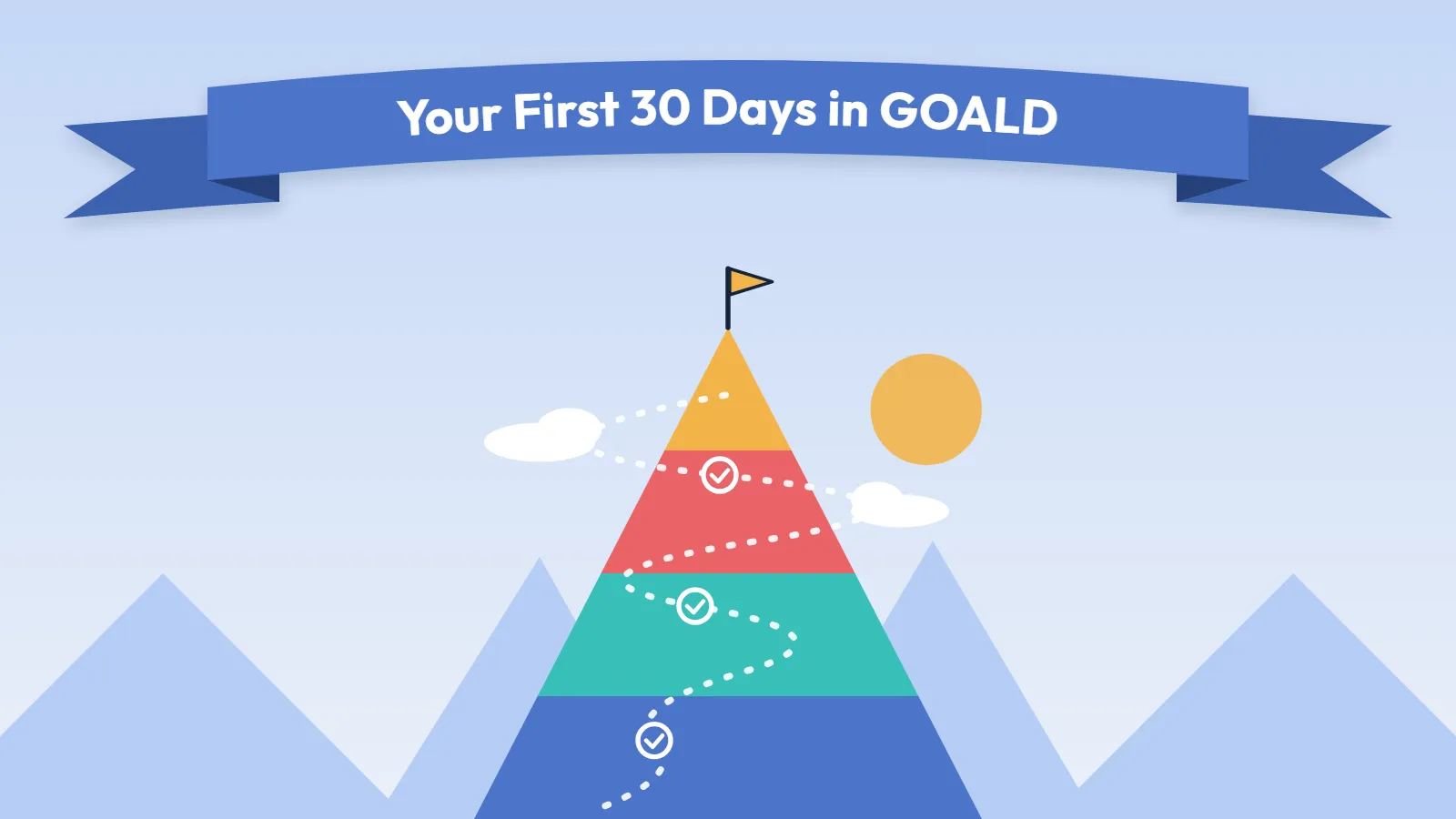
This guide fixes that. It takes about 20 minutes on day one, then a few small additions each week. Follow it in order and by day 30 you’ll have used everything GOALD does, and you’ll know which parts are worth keeping in your life.
One promise before we start: nothing in GOALD punishes you. Miss a day and nothing scolds you. The gap is just a gap, and it’s still there to pick back up tomorrow. So don’t set it up perfectly. Set it up and start.
Day One: the 20-Minute Setup
Step 1: Sign in and put GOALD on your home screen
Go to app.goaldapp.com and tap Continue with Google, Facebook or Microsoft. No password to make up, nothing to remember.
Then install it, because GOALD is something you’ll open every day:
- Android: open app.goaldapp.com in Chrome and tap Install when GOALD offers it.
- iPhone: open it in Safari, tap the Share button, then Add to Home Screen.
Open GOALD from the new icon from now on. On iPhone this matters: reminders only work from the home screen icon.
Step 2: Take the tour
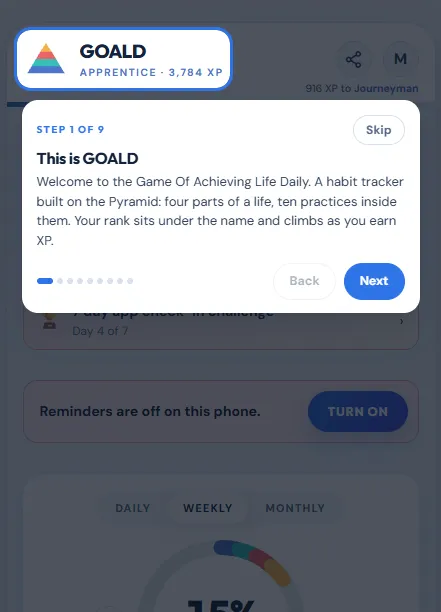
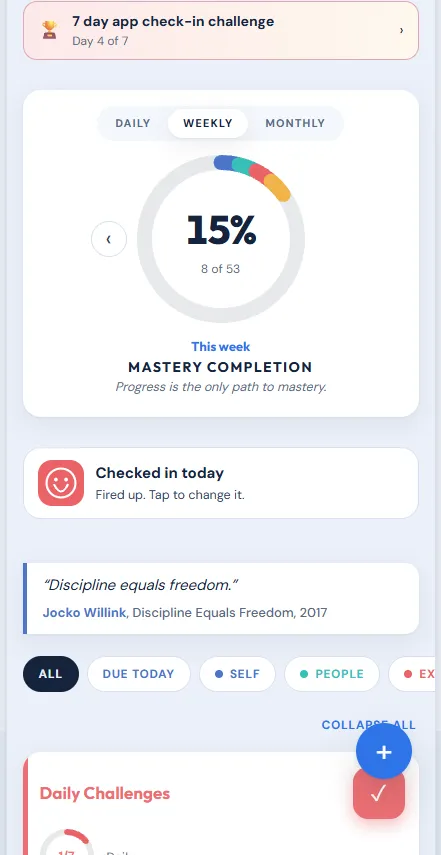
The first time you open GOALD, it walks you through the app in nine quick stops: your dial, how a habit card works, how to log a day, where your progress lives, the timer, and your profile. Take it. It’s a minute long and it saves you an hour of poking around.
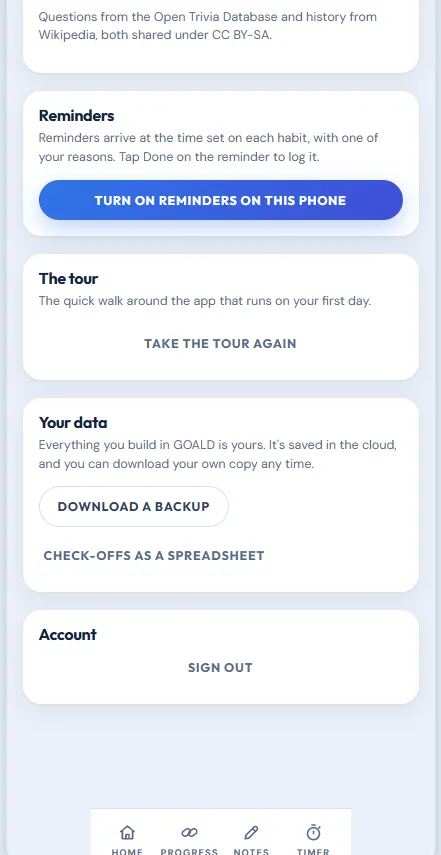
Skipped it? It’s in Settings, under The tour.
Step 3: Add your first habits with Tap and Go
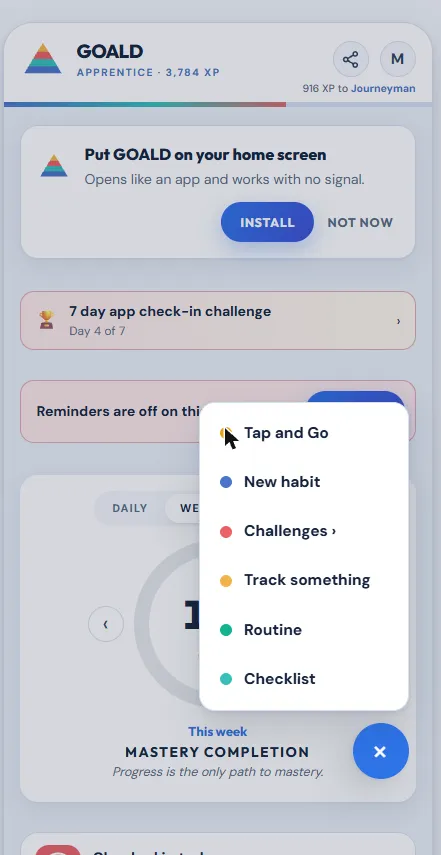
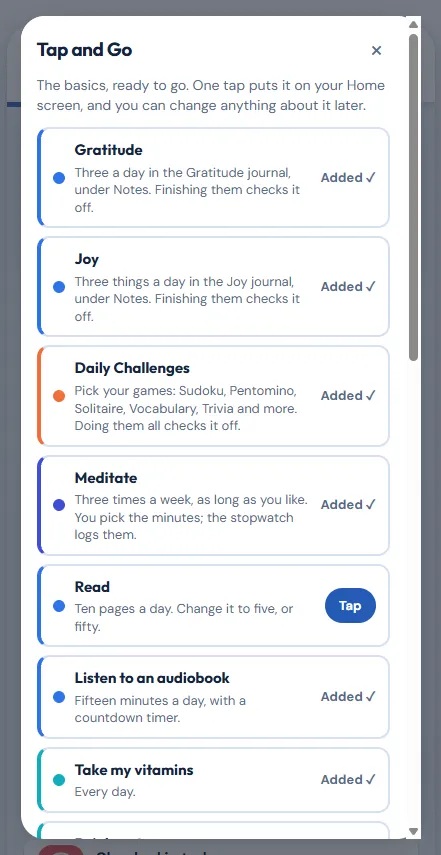
Here’s the fastest way past the blank screen. Tap the + button, then Tap and Go. You get ready-made habits for the basics: gratitude, joy, meditation, reading, vitamins, water, a walk and more. Tap one and it lands on your Home screen with how often, its reasons, its place in the Pyramid and its color already filled in.
A few, like meditation and water, ask for your own number first. That’s it.
Pick three to five. Not twelve. The people who stick with a habit app are the ones who start small and win early. You can add more in week two.
Step 4: Add one habit that’s yours
Now make one from scratch, the habit you actually came here for. Tap +, pick New habit, give it a name, and choose how often:
- Every day
- Specific days, like Monday, Wednesday and Friday
- A number of times per week
- A limit, for something you’re cutting down on
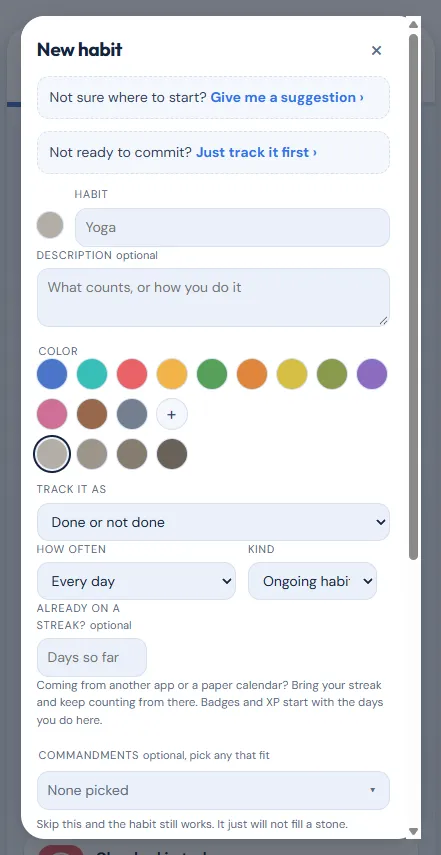
On the same form, and all optional: a number to hit (like 20 pages), a reminder time, your reasons why, and which part of your life it serves.
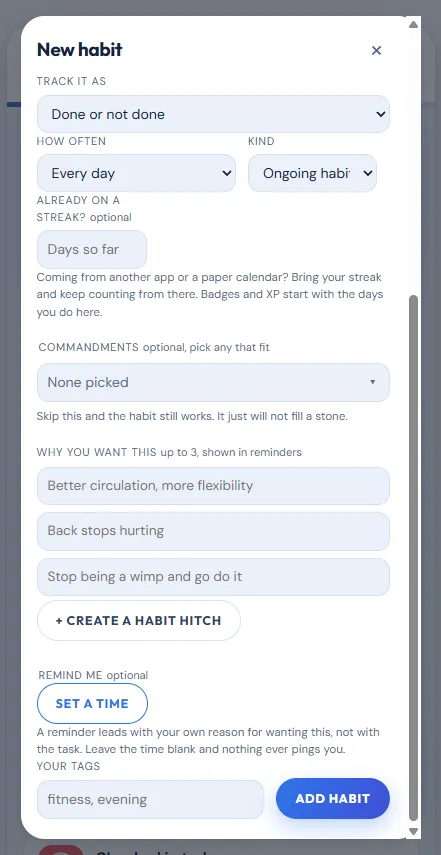
Fill in the reasons. On the day you don’t feel like it, that line is what you’ll read.
Already on a streak in another app? Fill in “Already on a streak?” with your count and it keeps counting from there.
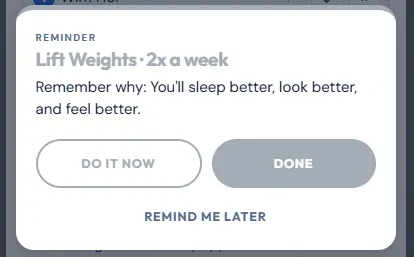
Step 5: Turn on reminders
Settings, then Reminders. Give each habit a time that matches your real day, not your ideal one. If it’s a morning habit and you’re up at 6:30, set it for 6:45.
Step 6: Check something off
Tap the circle on a habit card. That’s the whole daily action. Tap it again if you hit the wrong one.
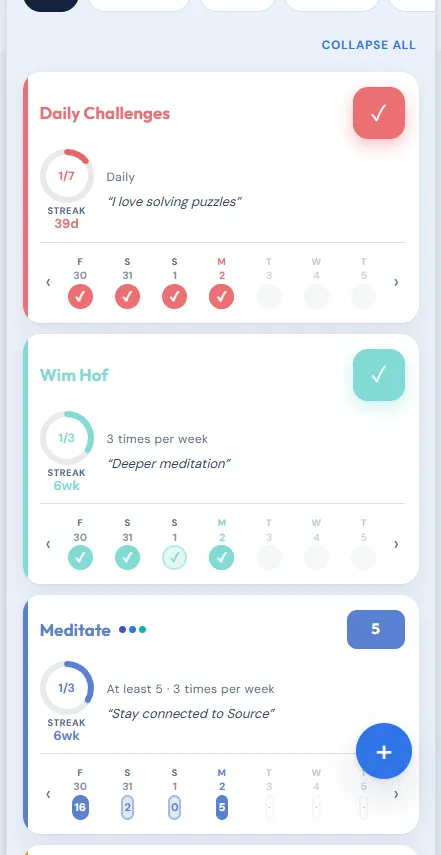
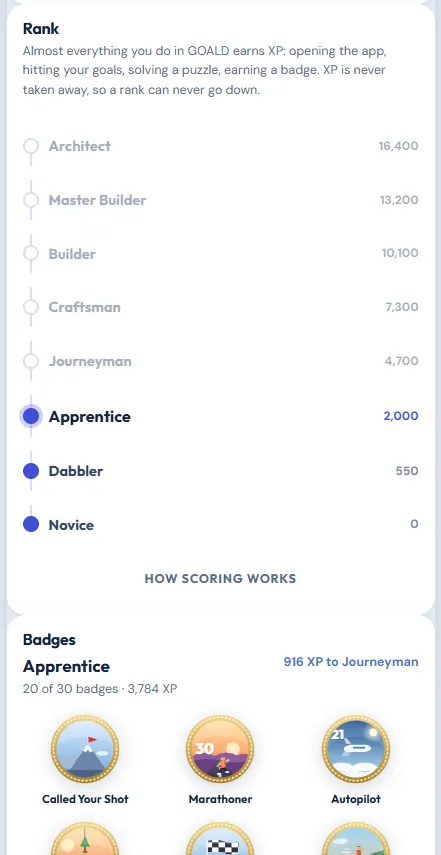
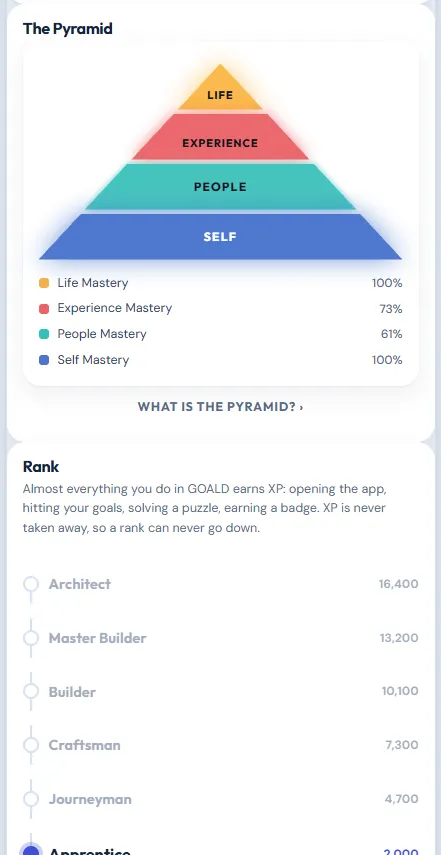
Look at what just happened: your dial moved, and you earned XP. Almost everything you do in GOALD earns XP, and your rank sits right under your name, climbing as you go. Missing a day never takes XP away.
That’s day one. You’re set up.
Your First Week: Open the Rest of the App
Each of these takes a minute or two. Do one a day.
The Notes tab: gratitude, joy and a place for every thought
Open Notes. Three things live here:
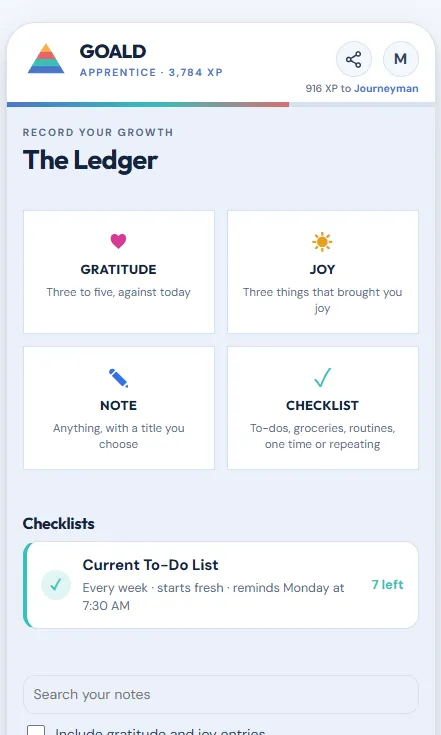
- Gratitude: three statements a day. Make a habit called Gratitude (Tap and Go has one) and finishing all three checks it off for you.
- Joy: three things that brought you joy today, big or small. A good cup of coffee, a song, a laugh with your kids. Why three? In a well-known study by Martin Seligman, people who wrote down three good things a day for one week were still happier six months later.
- The Ledger: a note any time a thought comes. Journal here, jot down an idea, log a workout detail.
Later, when you’ve built up a few weeks of notes, the search box finds any note by any words in it.
The checklist: your to-dos, finally in the same place as your habits
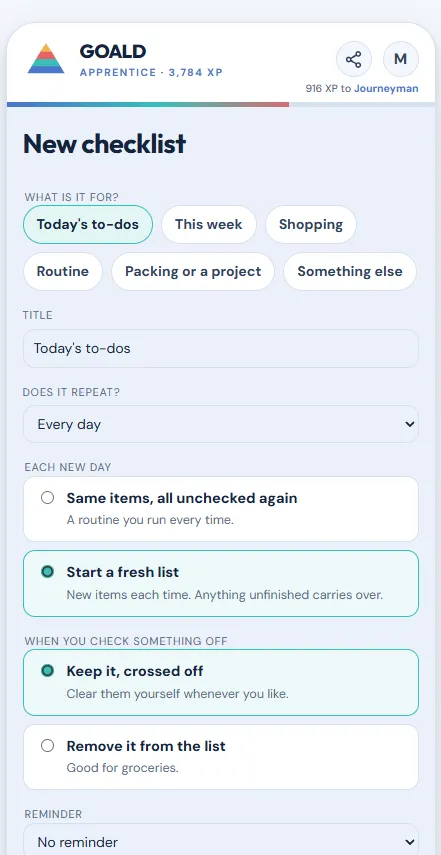
Checklists live in Notes, right above your notes. Tap New checklist, say what it’s for and give it a title. It’s a plain list: today’s to-dos, groceries, the week’s errands. Paste in a list from anywhere and it splits into items for you. Anything you don’t finish stays on the list until you do.
You choose whether it repeats, what happens to an item when you check it off, and whether it gets a reminder. You can even send one to a partner, like a shared grocery list.
It earns nothing and counts toward nothing. It just gives everything you have to do a home, and gives you another reason to open the app.
The mood check-in
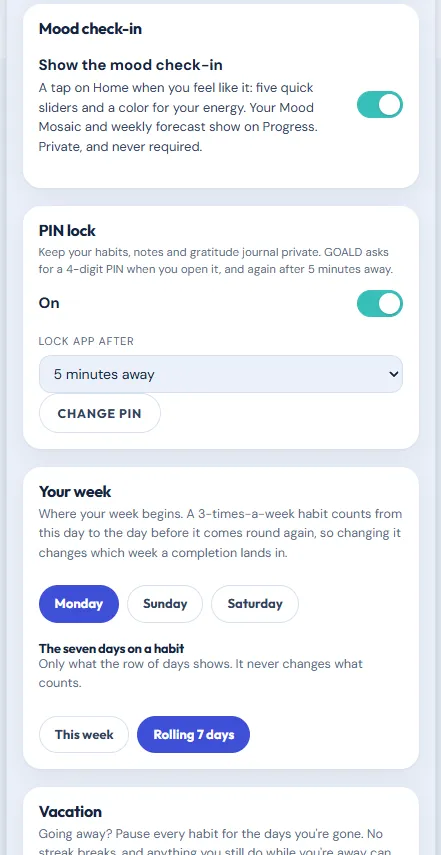
Settings, then Mood check-in. Turn it on and “How are you today?” shows up on Home. Slide Mood, Mindset, Headspace, Outlook and Motivation to where you are, pick a color for your energy, and add a note if you want.
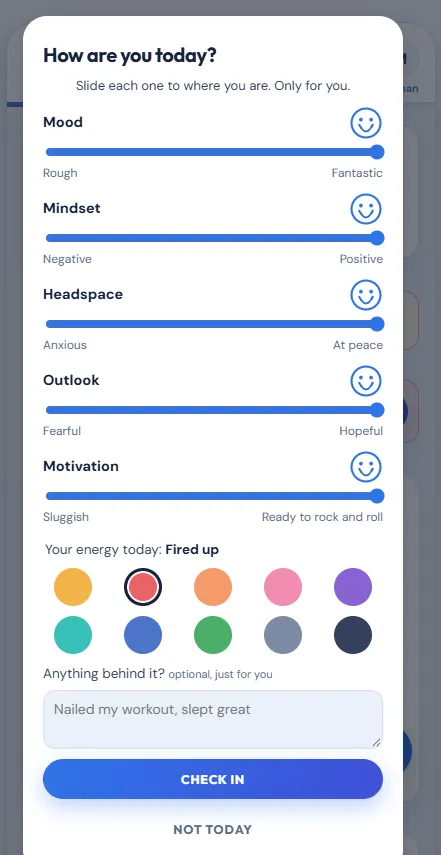
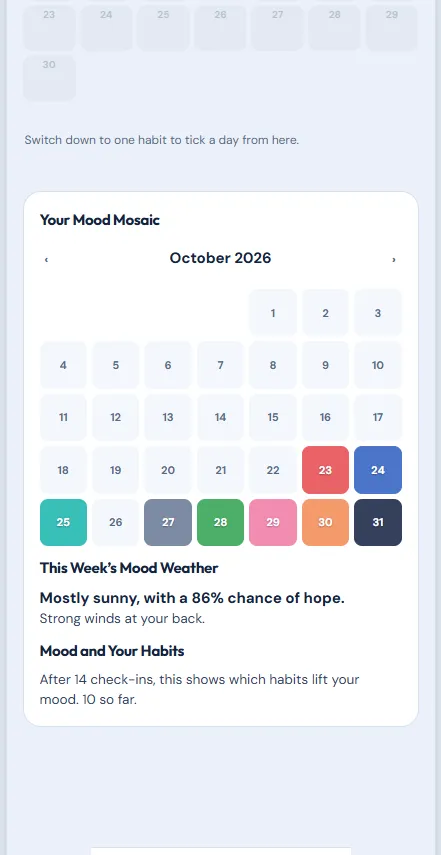
It’s optional, earns no XP, and nothing happens if you skip a day. But here’s why to do it anyway: after 14 check-ins, GOALD shows you which habits lift your mood. That’s the moment a habit stops being a chore and starts being proof.
Daily Challenges
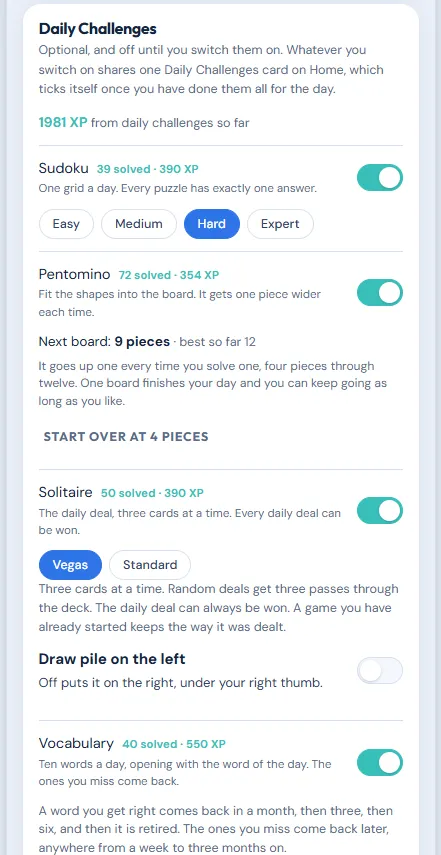
Settings, then Daily Challenges. Switch on Sudoku, Pentomino, Solitaire, Trivia and Vocabulary, one a day each. They’re there because a puzzle beats a scroll, and each one pays XP the first time you finish it each day. Harder levels pay more.
Every day you also get a quote, the word of the day and this day in history, on every plan.
The Timer tab
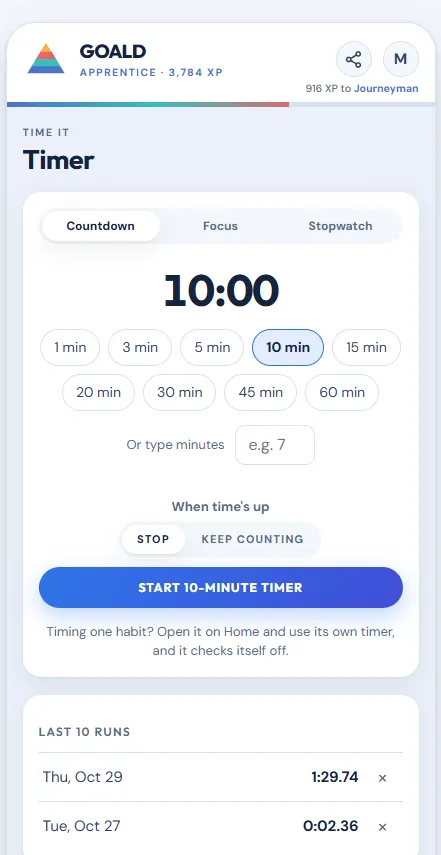
Tap Timer in the bottom bar. Three kinds:
- Countdown: for a 10-minute meditation or a 20-minute read.
- Focus: 25 minutes on and 5 off, round after round, or any lengths you like.
- Stopwatch: with laps.
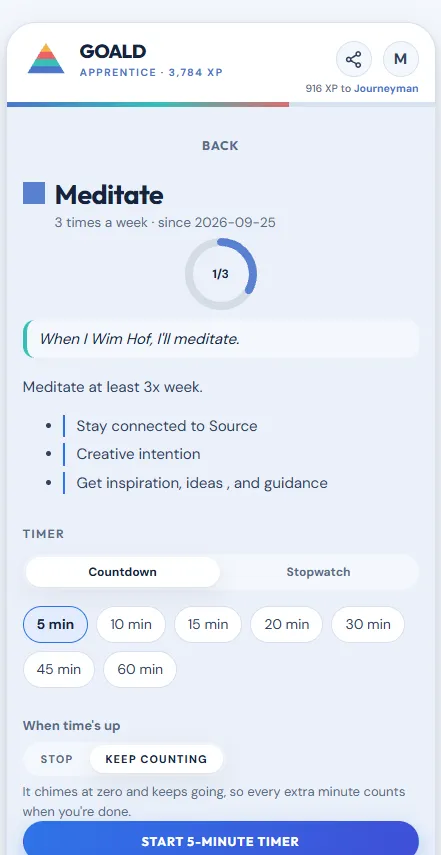
When one ends, GOALD asks whether to count it toward a habit. Tap the habit and it checks off. Every habit also has its own timer on its page, and it remembers the length you used last.
An accountability partner
This is the one that changes everything. Go to Partners, type their exact username or email, and once they accept, they can see your progress and cheer you on.
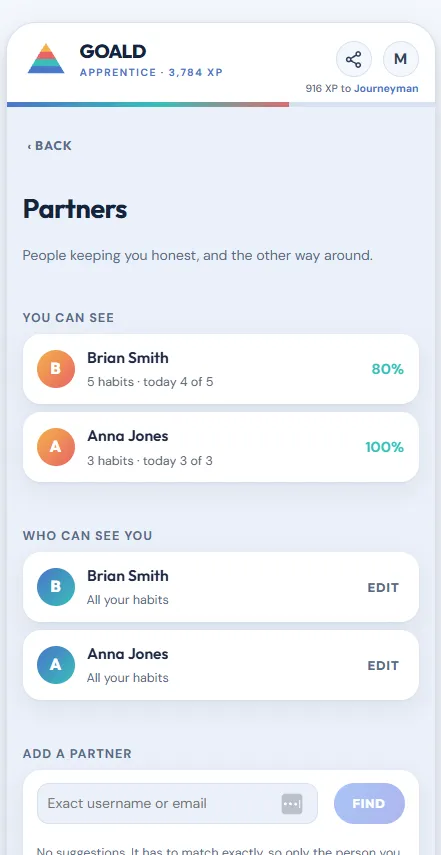
They see your habits and your last 70 days of check-offs. Never your notes, your gratitude journal or your mood. Those are only ever yours.
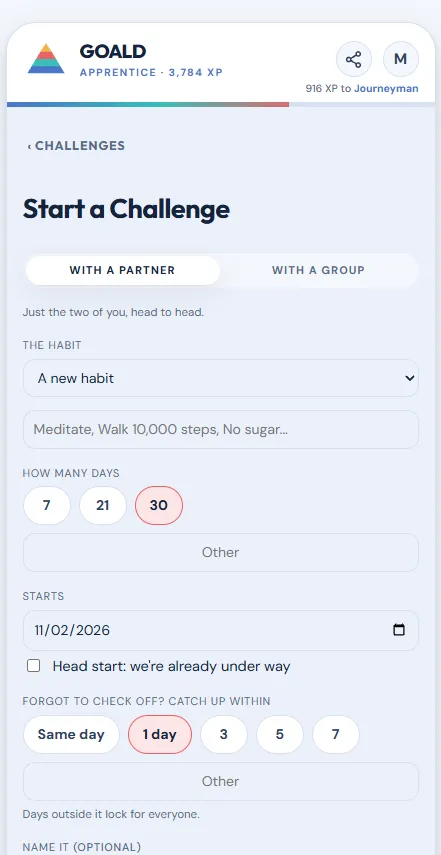
Then start a challenge together: tap +, then Challenges, then With a partner, or With a group for the whole family or your team. Pick the habit, how many days and the start date, and send the invite link any way you like. If they don’t have GOALD yet, the link signs them up and drops them right into it.
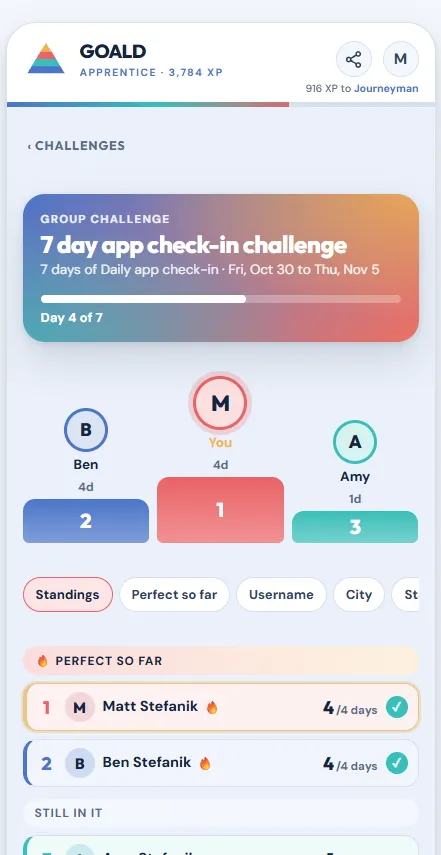
A group challenge gets its own leaderboard. Members see your name, your rank, that one habit and your numbers, never anything else. Nothing gets a family moving like a scoreboard.
PIN lock
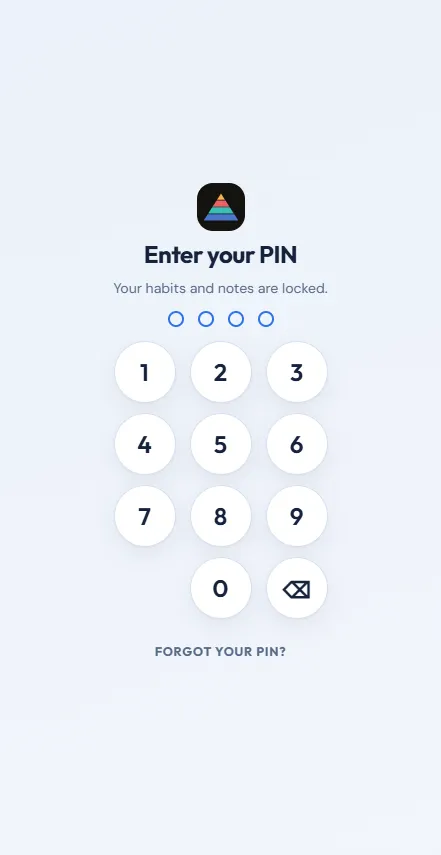
If your notes are personal, and they should be, go to Settings and turn on PIN lock. Choose four digits. GOALD asks for it when you open the app and again after a minute away (or 5, 15 or 30 minutes, your choice). It’s free on every plan.
Week Two: Build Routines
By now you know which habits stuck. Time to connect them.
Routines
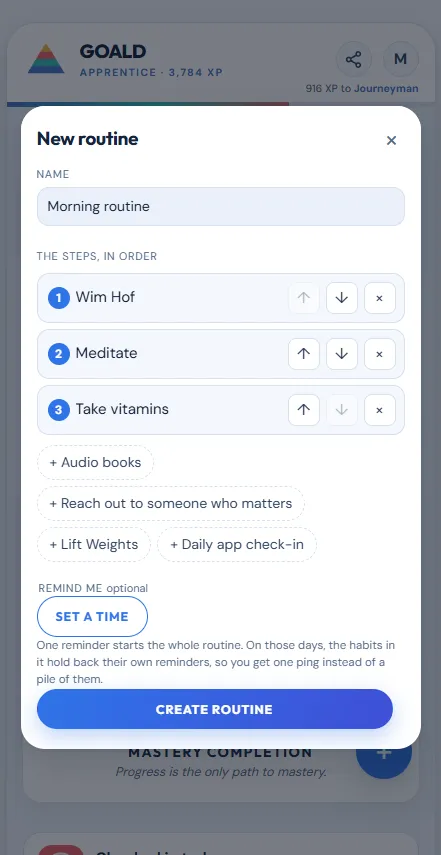
A routine is a few habits in order: breathe, then meditate, then read. Tap +, pick Routine, name it, and tap your habits in the order you do them.
Tap Start on Home and GOALD walks you through one step at a time. Check one off and the next comes up. Set one reminder for the routine and it starts the whole thing, so you get one ping instead of five.
The Habit Hitch
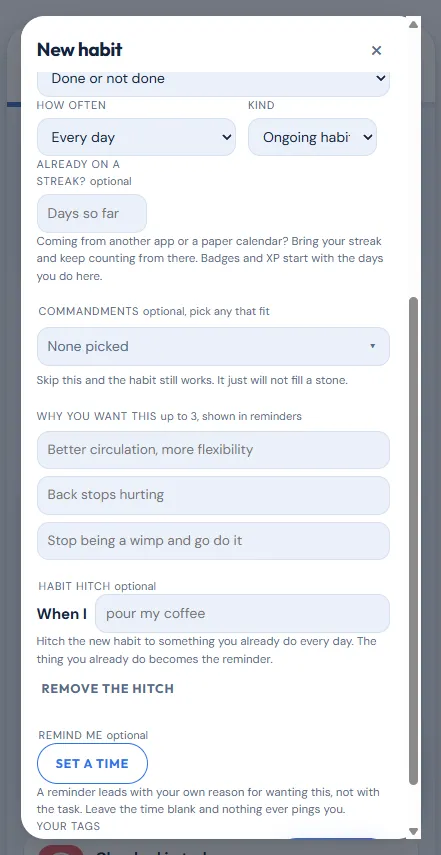
A Habit Hitch ties a new habit to something you already do every day: “When I pour my coffee, I’ll meditate.” The thing you already do becomes the reminder. Edit a habit, tap Create a Habit Hitch, and finish the sentence.
Just tracking
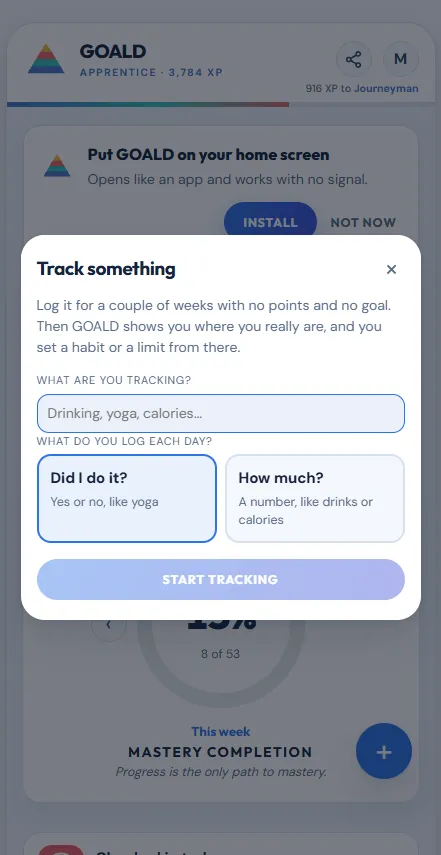
Not ready to make something a goal? Tap + and pick Track something. Log it as a yes for the day or as an amount, like cups of coffee or drinks. Tracking never earns XP and never counts for or against you. It shows you where you’re starting, so when you set a goal, it’s one you can hit. When you’re ready, open it and tap Make it a habit, and your tracked days come with it.
Add two or three more habits
You’ve earned it. Go back to Tap and Go, or make your own.
Weeks Three and Four: Read Your Own Progress
This is where a run of weeks starts to look like something.
The Progress tab
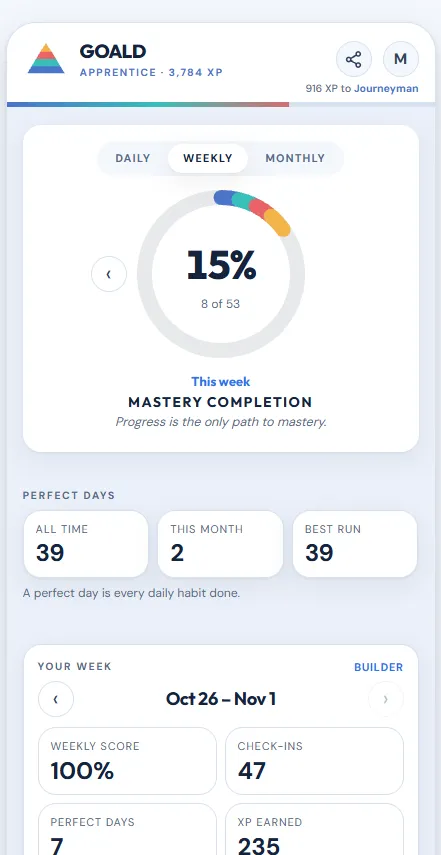
Open Progress. Your calendars and chains go back to the day you started. You’ll find:
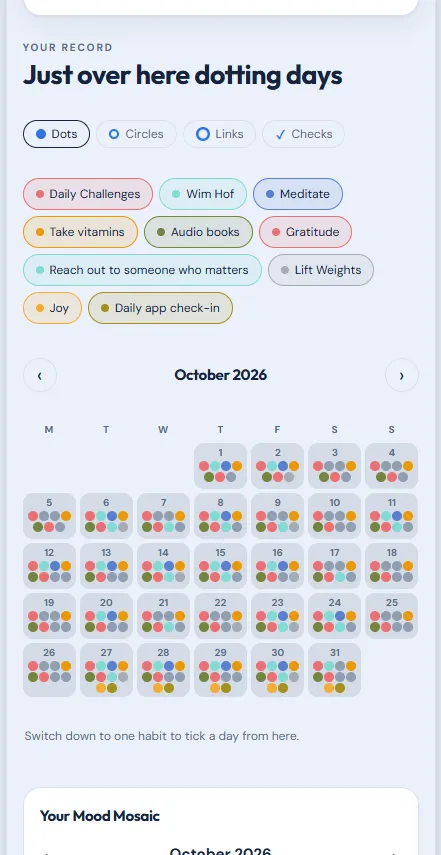
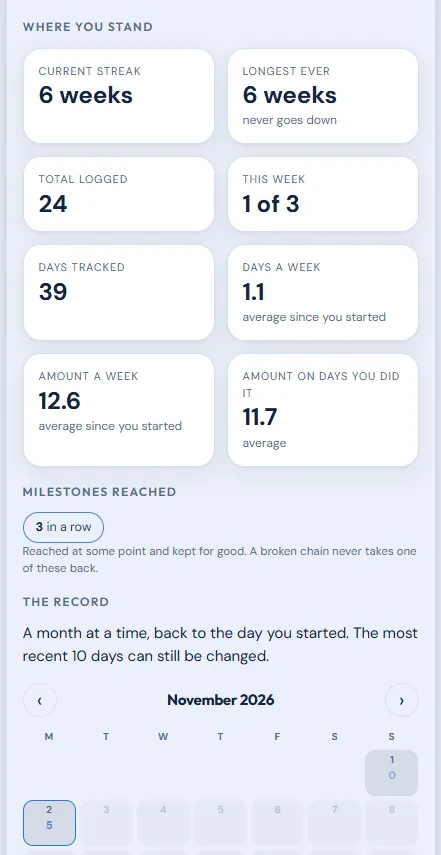
- Perfect days: days you did every daily habit, with your total, this month, and your best run. These numbers only ever go up.
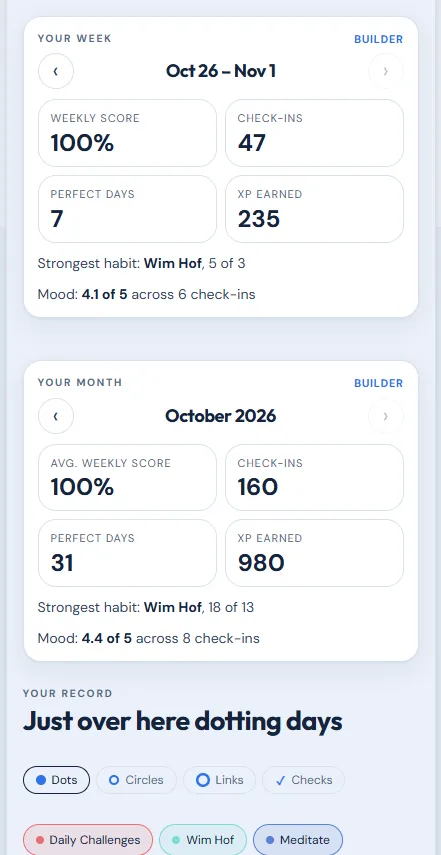
- Your weekly report: weekly score, check-ins, perfect days, XP, your strongest habit, and your mood.
- Your monthly report: the same, for the month.
- Your Mood Mosaic: every day you checked in, painted in your color.
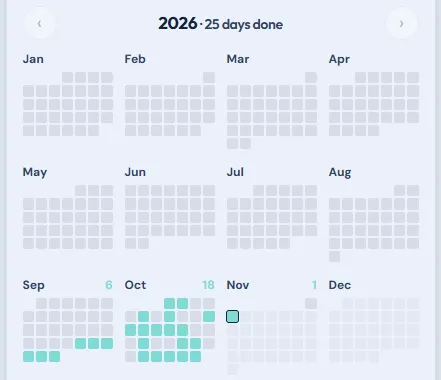
Open any habit and scroll to Year at a Glance to see every month of the year at once.
When life happens
You’ll miss a day. Everybody does. GOALD has three answers:
- A streak saver. Missed yesterday? When one can help, GOALD offers it on Home. One per habit a month.
- Fix the record. Forgot to log a day you did? Open the habit and tap the day. Anything in the last 10 days.
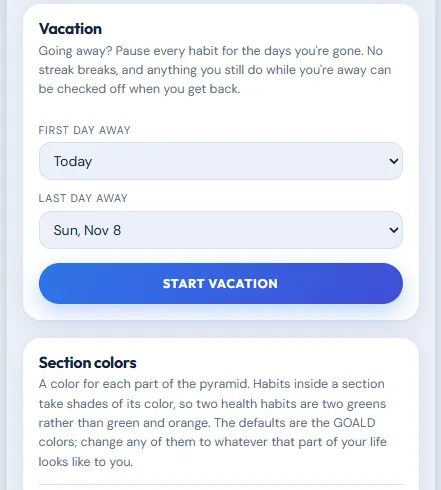
- Vacation mode. Going away? Plan it in Settings, up to 60 days, and your streaks wait for you.
Go a whole month without using a streak saver and you earn a 100 XP clean-month bonus.
Badges and ranks
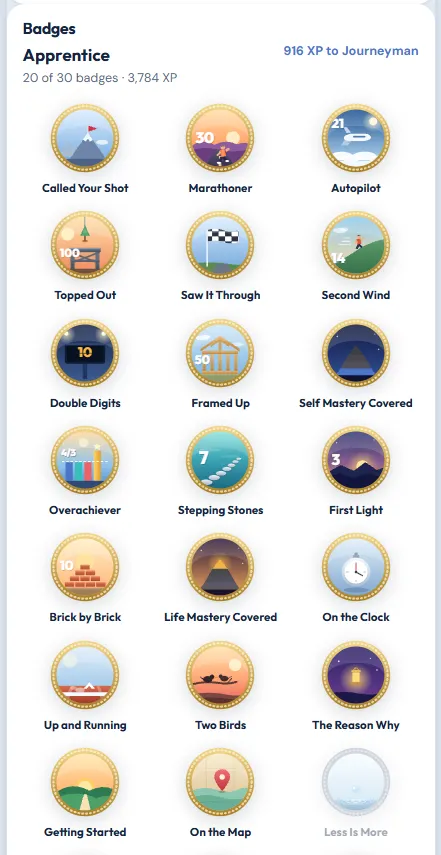
Badges are for good: once you earn one, it’s yours even if a streak breaks later. When you earn one or rank up, tap Go brag and share it anywhere. A silver ring on a badge means you’re close, and the number under it shows how close.
Day 30: Keep Builder or Stay Free
Every new account gets all of GOALD Builder free for the first 30 days, no card needed. That’s everything in this guide. When the 30 days are up, you choose.
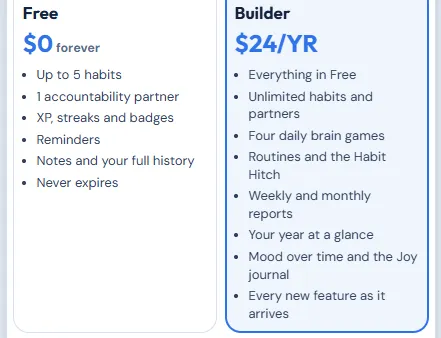
Free keeps up to 5 habits, 1 accountability partner, 1 shared checklist, Solitaire, the quote, word of the day and this day in history, and the timer, for as long as you want. No ads, ever.
GOALD Builder is $24 a year, about 7 cents a day, and keeps everything else: unlimited habits, partners and checklists, starting group challenges, routines and the Habit Hitch, the other four daily brain games, your weekly and monthly reports, Year at a Glance, your mood over time, the Joy journal, search across your notes, timer history, and every new feature as it arrives.
And if you ever stop paying, you lose nothing. Your habits, history, partners, XP, badges and streaks all stay.
The Short Version
- Day one: sign in, install, take the tour, Tap and Go three to five habits, add one of your own, turn on reminders.
- Week one: Notes, the checklist, mood check-in, Daily Challenges, the timer, a partner, a PIN.
- Week two: a routine, a Habit Hitch, just tracking, a few more habits.
- Weeks three and four: read your Progress tab and let it show you what’s working.
The goal was never a perfect streak. It’s the Game Of Achieving Life Daily, and you win it one day at a time.
Get Started with GOALDQuestions
Do I need to download anything from an app store? No. The Play Store version is coming soon but for now GOALD runs in your browser and installs to your home screen like any app. Swapping versions later still keeps all your progress and settings.
What if I miss a day? Nothing scolds you and you never lose XP. Use a streak saver, fix the last 10 days, or just pick it back up tomorrow.
Can my partner read my journal? No. Partners see your habits and check-offs, never your notes, gratitude, joy or mood.
How do I get help inside the app? Tap your letter at the top right, then Help & Feedback. Type a question and the answer shows up before you even send a message.